Agent-native issue tracking
for ambitious Claude Code users|
curl -fsSL https://setup.fp.dev/install.sh | sh -s Why this?
agents love CLIs
fp uses a CLI to manage issues for your project. Claude helped design it, and Claude loves using it.
context across sessions
Compaction doesn't cut it. fp lets you clear sessions safely. Claude progressively loads relevant context for a task in each new session.
local-first
Issues, comments, and context are stored locally on your machine. No external services. No MCP server.
smooth local code review
See what code changed and why in a lightweight local interface. fp collects your comments and sends them straight back to Claude.
Installation
Install the CLI
curl -fsSL https://setup.fp.dev/install.sh | sh -s Add the Claude Code plugin
fp setup claude Initialize in your project
fp init Workflows
Tell Claude to use fp or invoke skills directly with /fp-plan, /fp-execute, or /fp-review:
Once you're done, move to the next task with a clean slate to prevent context rot. Run /clear, and tell Claude to start the next task:
Commands
Claude can drive all task management with the CLI, but for us humans, these commands are also helpful:
fp tree [issue-id] Display issue hierarchy as ASCII tree fp issue list --status todo List issues in table format, filtered by status fp issue show <issue-id> Show detailed info including comments fp review <issue-id> Open web-based diff review UI (omit issue-id to review working copy) Mac Desktop App
A keyboard-first desktop app for managing your fp issues. Summon it from anywhere with ⌘⇧I, search and update issues without leaving your flow.
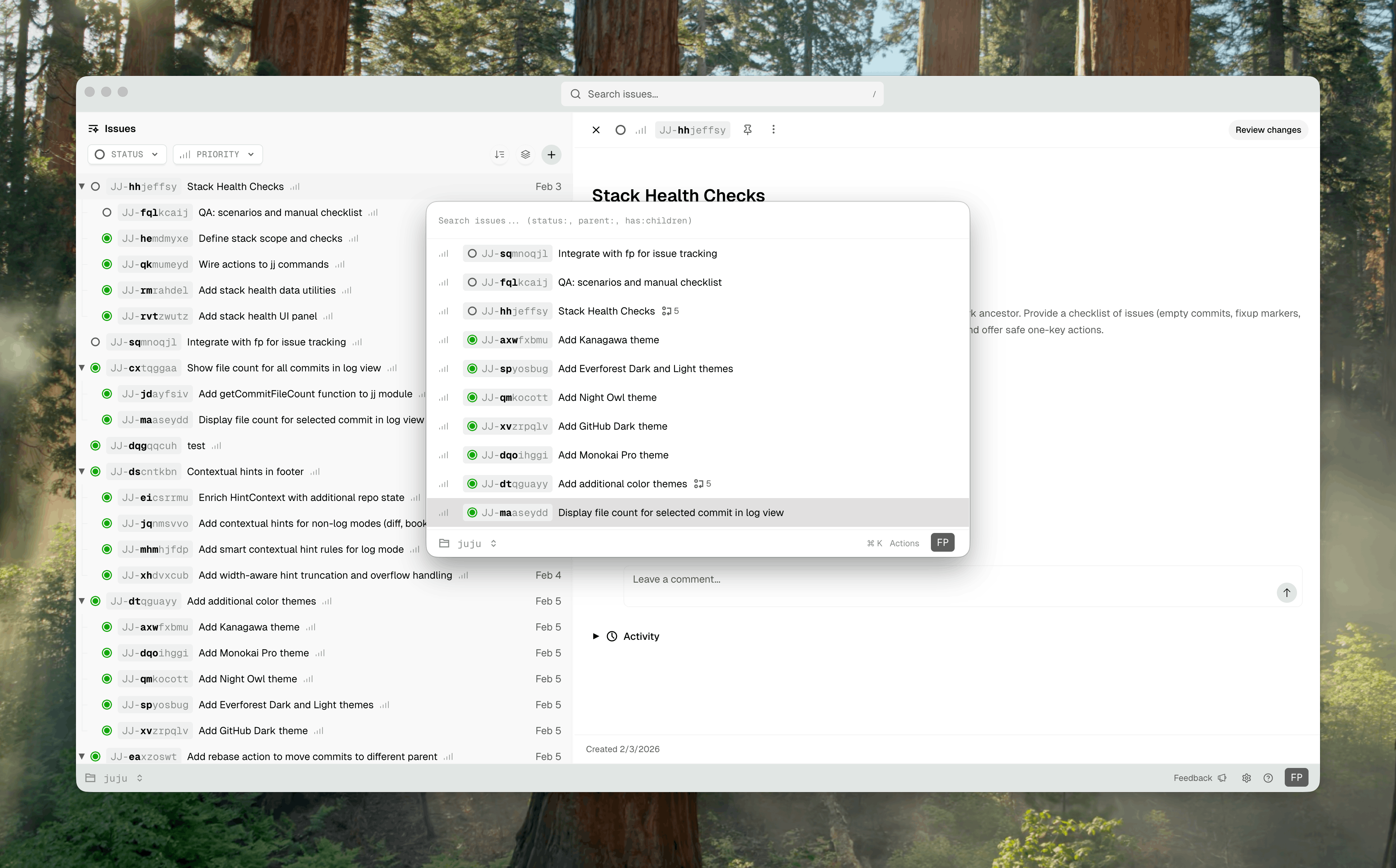
Requires macOS with Apple Silicon (M1/M2/M3/M4).
Learn all the keyboard shortcuts and search syntax →
Motivation
fp makes you and Claude work better.
It plays to the strengths of coding agents, and helps avoid their most harmful quirks.
It is built on a few simple observations:
Agents (and humans) like focused tasks. Breaking work into bite-sized tasks helps both Claude and us write better code. Keeping those tasks outside of the coding session makes context handoff between sessions smooth and easy.
Agents love CLIs. CLIs are easy for Claude to explore and learn. We built a simple CLI, and Claude was our first user. Whenever Claude hallucinated a command or a flag, we added it. By design, Claude is an fp power-user.
Agents are litterbugs. Claude scatters one-off markdown files all over your codebase, and it's annoying. What Claude really wants is a scratchpad for its research and work. fp gives it a place to take notes without littering CODEBASE_EXPLORATION_V2_ALT.md in your repo.
Humans need visibility. We built fp review for inline code feedback, and the Mac desktop app so you can check on your issues from anywhere with a single keystroke. You shouldn't have to context-switch into a browser to stay on top of your work.